Google Analytics Guide For Beginners

Google Analytics

Google Analytics is definitely the industry standard when it comes to digital analytics and analysing online (and offline) behaviour. Over 10 million websites use GA (Google Analytics) to review their statistics. It’s free and people from all skill levels can use it relatively easy. This is my ”beginners introduction” to Google Analytics, starting with basics and then digging in a little more into it’s powers.

First off Google Analytics is like the atlantic ocean, there’s almost nothing you won’t be able to analyse with it (data nerds wet dream). However, the bad side to this is that it’s often overwhelming to starters. Local SEO Expert will start by looking into the basic data reports you automatically get after you’ve integrated Google Analytics in your website or webshop. After that I will piece by piece start looking into the more techy stuff to give you an idea of the powers this analytical software can give you as an marketer or analyst.

The basic Integration

The ”installation” of Google Analytics is quick and it shouldn’t take longer than a couple of minutes to install the basic script. The script should be installed in the Header file of the website which means that it will be running on every page of the website or application. Start by going to http://www.google.com/analytics/ and signup with your Gmail adress, there you can add your website / application and you will get the ”Universal Script” to install. If you are using Google Adwords PPC advertising it’s really simple to connect Adwords with Analytics, we’ll come back to that.

The screenshot above is the first dashboard you’ll see in Google Analytics. These below are the most fundamental parts of your basic knowledge.

Left side navigation:

Real-Time – See your visitors, traffic source and their behaviour in real-time.

Audience – Tells you more about who is visiting your website.

Acquisition – Tells you how your visitors found and arrived to your website.

Behaviour – Tells you what your visitors are actually doing in your website.

Conversions – Tells you more about your sales and conversion.

Audience Overview (For the past 30 days, can be changed in the upper right corner)

Sessions – When I enter a website I’m having one session on the website.

Users – Similar to Unique Pageview, an unique user of your website.

Pageviews – The total number of pages viewed on your site.

Pages/Session – The average number of pages viewed per session (visit)

Avg. Session duration – The average amount of time visitors stay on your

Bounce Rate – Percent of visitors that leave your site after viewing only one page.

% New Sessions – Percent of total visitors who arrived at your site for the first time

The difference between a session and users can be confusing. Here’s Googles take on it:

”The initial session by a user during any given date range is considered to be an additional session and an additional user. Any future sessions from the same user during the selected time period are counted as additional sessions, but not as additional users.”

Additional data you can view on the ”Audience Overview” page is:

Language

Country/Territory

City

Browser

Operating System

Service Provider

Mobile Operating System

Mobile Service Provider

Mobile Screen Resolution

The difference between frontend and backend

If you are somewhat interested in web development and the architecture behind a web page, you have most likely heard the terms frontend and backend . One could say that these two concepts stand for two sides of the same coin, where the coin is then the modern website or application. The architecture and the interaction between frontend and backend is crucial for how well a website works in many respects, such as user-friendliness , functionality and even SEO .

“The clearest distinction between frontend and backend is that frontend is what the user sees and interacts with in their browser, and backend is what never reaches the user’s computer but stays on the server”

The difference between frontend and backend can be described clearly, or more complex, depending on where you draw the line. Right now, a lot is happening in many different areas simultaneously in web development, and the traditional way of building websites can be history in just a few years. But so far we can quite easily define the clearest difference between frontend and backend, and that is that the frontend is what the user sees and interacts with in their browser and the backend is what never reaches the user’s computer but stays on the server . 

Frontend – what is displayed in the browser

You can thus define the front end as what the person who opens a web page on their computer can see and interact with. Texts, images, buttons, forms, everything that the average internet user associates with a website, fits within the front end. The person who creates the front end of a web page is usually called a web designer and it is this person, or people, who have the task of ensuring that the page is stylish, functional and also that it works on many different platforms as different browsers for both computers, mobiles and tablets. Frontend is also called client-side in English , and the “client” in this case is your browser.

The three corner pillars in the front end

To create a modern frontend, three languages ​​are used: HTML, CSS and Javascript. Here we take a closer look at these:

  • HTMLHTML, hyper-text markup language , is the classic markup language for creating websites. All elements of a web page are marked in the HTML code. In this text, for example, each paragraph and heading has a so-called tag that describes how the content should be displayed. The same goes for pictures, menus and everything else you see on the page. The browser reads the HTML code when you upload the page, in order to know how the content should be displayed.
  • CSSCSS stands for cascading style sheets , and was created to give web developers a more nuanced tool for how the content on a page should be presented. Without CSS, this website would look much like it did in the childhood of the Internet, that is, it would mostly consist of a lot of tightly packed text in a long flow. With the help of CSS, you can instead decide the color, size and shape of all elements on a website, and exactly where on the screen they should be displayed. CSS, for example, is crucial to being able to create web pages that can be displayed on many different platforms. The language can be integrated into the HTML code, but it is more common for the browser to receive one or more separate CSS files when the page is uploaded.
  • JavascriptJavascript is the third pillar in modern web development. It is a so-called scripting language, that is, it is created to perform automated actions in a special driving environment, in this case the browser. With the help of Javascript, a website can be made dynamic, which means that it can be changed based on how the user interacts with it. Javascript is used, among other things, to create login functions, create the logic in contact forms and ensure that the information filled in is sent to the server, and so on. The contact between frontend and backend is managed using Javascript.

Backend – the brain of the web page

When a user enters an address in their browser, it does not lie and wait somewhere in the computer. It’s somewhere else. This place is called the backend, and it consists of one (can be several) servers, which the browser contacts and asks to have the page sent to it. Backend code is therefore often called server-side code. This is where most of the logic in a web application is found and the backend page can do pretty much anything at the request of the page’s frontend.

But to begin with, it sends HTML, CSS and Javascript to the browser so that the website can be displayed. It can then take care of validating user data, saving, retrieving or updating data to and from a database, sending out emails, making complicated calculations based on user data and so on.

Many languages ​​to choose from on the server side

Anyone who wants to write code for backend has a number of languages ​​to choose from, unlike Frontend where you have to stick to the three main languages. Some examples of common backend languages ​​are Java, .NET, Python and PHP.

For a few years now, Javascript can also be used for backend programming, thanks to the Node.js runtime environment, which has allowed the once-limited scripting language to move out of the browser and develop into a more “real” object-oriented programming language. The fact that Javascript can also be used on the backend also makes it easier for a programmer to be able to write code for both the front and backend of an application, so-called full stack development.

Where does SEO get into all this?

SEO is in itself neither frontend nor backend, but is really a marketing technique. With that said, an SEO Experts should get as good an idea as possible of what the architecture for both frontend and backend means for a website.

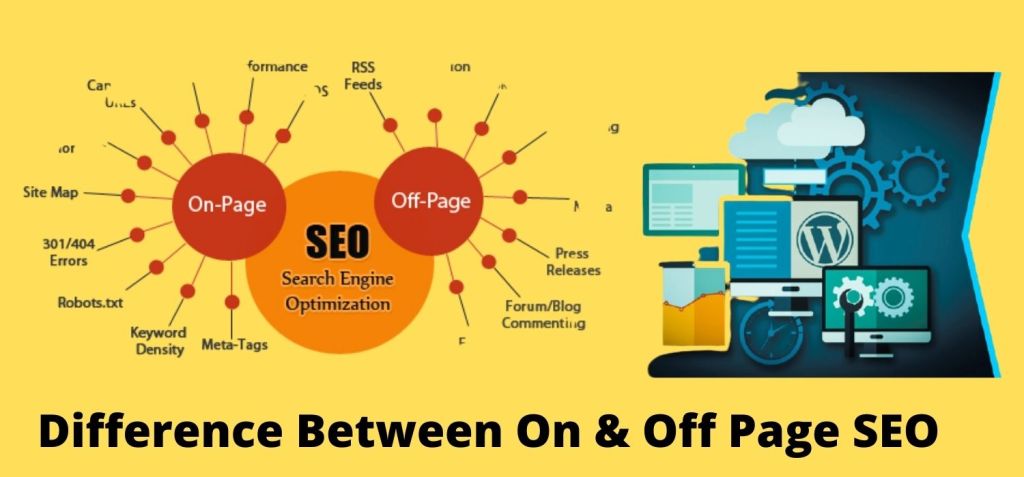
When so-called onpage optimization is done, it is above all the front end of the page that is tailored, such as appearance and user-friendliness, meta tags and content. But even a page’s backend is of great importance for SEO with regard to, for example, canonization of links, upload speed, delivery of services and so on. SEO should basically be a collaboration between SEO technicians, web developers and backend developers to be as successful as possible.

May 2020 Google core update – how your website is affected?

In May, Google rolled out its latest so-called core update – a major update to the search algorithms. How has this affected the ranking of your site?

Google’s search algorithms are the unknown variable that all the SEOs in the world have to deal with. However, it is not completely unknown. Google is quite good at providing clues about how the algorithms work to determine which pages are most relevant to which search results, and thus end up in the coveted first place in the search results. They also have clear guidelines for how to make their site as relevant as possible in the eyes of Google.

Ultimately, according to Google, one should primarily concentrate on creating good and relevant content on one’s pages, rather than trying to take shortcuts or adapt the content to how one thinks the algorithms work.

Has your ranking been affected?

A core update, as the update in May was, is a major update of the algorithms that sometimes, which in this case had a major impact on certain types of pages. The industries most affected were travel, real estate, health, pets and community information. Many pages have lost or risen in the rankings after the update, and many SEO experts are frantically trying to understand how and why their pages have been affected.

There are many indications that the update has implemented a higher degree of machine learning, ie that the search engine learns itself while working . The users’ actions on the sites are also believed to have gained more importance, for example if you quickly click back to the search results after entering a site, which indicates that the page was irrelevant or otherwise discouraged the user.

The update also seems to concentrate on identifying which pages really have relevant content among both smaller and larger sites. Consequently, many smaller websites have risen in the rankings while some larger ones have lost.

Thousands of updates every year

In the end, though, it’s not so much about trying to figure out exactly what this update, or Google’s search algorithms in general, looks like. If you do that, you will always work reactively instead of proactively. Google makes more than 3,000 updates each year, and the fact that your page rises or falls in the rankings may have to do with any of these updates. Major updates such as the one in May are also made approximately once a quarter.

How Google determines which pages are relevant

If your site has lost in ranking, it does not automatically mean that Google thought it was bad and wanted to punish it. It is rather that the search engine has opened its eyes to other pages that are judged to be more current and well-written. If you want your site to climb again, and then maintain its high position, you must first know how the search engine works and what it generally values ​​in a website.

The first thing Google does when a user types something in the search box is to try to interpret the purpose of the search. Is the user looking for news, facts or entertainment? Can the keyword mean more than one thing? Interpreting a search phrase is a difficult art, which has to do with understanding synonyms, meanings and grammar in all the languages ​​of the world and in fact trying to read the user’s thoughts in practice.

The next step is to find the pages that may be relevant to the user. This is done, as you probably know, by Google regularly browsing pages and indexing them so that they can be quickly found in search results. When Google looks at a page, it makes an overall assessment of the page and assesses, among other things, how reliable, well-written and original the content is.

Focus on good content – not on the algorithms

The best tip for you who want to make your site as relevant as possible in Google’s eyes is to invest in producing your own material, which clearly focuses on one topic at a time. If there are several pages on your site that all have roughly the same content but with different keywords, then the search engine will notice it and rank it lower. Thin or duplicate content on one of the pages can also drag down an otherwise well-built site, so be sure to compress the content and have two or three really well-written pages instead of a large amount of half-good and “talkative” pages.

HOW IMPORTANT IS CONTENT MARKETING FOR YOUR SEO?

Every year, the search engines release several updates. The common thread in almost all algorithm updates is that high quality content is becoming increasingly important for how a site should succeed. Well-planned content marketing performed by a competent SEO Expert can be crucial to ranking well.

Case study provides insight into the algorithm

In connection with each update, the SEO experts say what the new ranking factors are. What should I change on my site to make it rank well? What should I do to regain a lost position?
There are accepted theories but exactly how the algorithm works is only known to Google. From time to time, well-done case studies provide valuable insights into what goes on under the hood of the search engine.
Search Engine Land published a case study on how informative content affects a website’s performance in the SERP.
The study object was an e-commerce site that has worked with an SEO strategy since 2017. In a nutshell, the strategy was based on:

  • technical SEO , mainly to make the website faster and easier for the search engines to index, and
  • to improve the informative content of the website.

The content was improved by reorganizing information pages and adding new ones. Then they created internal links from these pages to the website’s category pages.
The result had a dramatic effect. The visibility in the SERP was over four times as great. Sales as a result of organic traffic increased 2.5 times!

Pages with good information played a central role

It is easy to draw wrong conclusions about what led to such a good result in the ranking. Can we be sure that it was the company’s chosen strategy for content marketing that was the reason for the success?
Yes. The case study provided insight into what happens if you suddenly delete all those well-written informative pages and their links to other pages on the website.
The company that ran the web shop was part of a larger group where one of the other companies ran a competing e-commerce site. It was decided that the two e-shops would be merged. The new website would not retain any of the information content from the previous site.
Said and done. The site removed all its informative pages. Instead, redirects were added to the main page. Just a few days later, the information pages were gone from the SERP.

That is why content marketing is important

The results from the case study are convincing. It not only shows that content is important but that pages with plenty of useful information can make an entire website stand out. This is an example of how content marketing can be important for your SEO .
But why is that so?
There are several theories. The most likely reason is that the information pages passed on a lot of linking power to other parts of the website. Half of all the website’s links pointed to the information pages. When they were removed, redirects were certainly added, but probably not only part of the link power was lost along the way, but also the context of the links.
Maybe the site also lost some of its authority (EAT) in Google’s eyes, but of course it’s hard to prove.

Summary: Content marketing is important for SEO . All types of websites can benefit from this type of strategy, not just e-commerce sites. Create good and informative content and remember to add internal links from there to strategic parts of the website.

HOW TO WRITE BETTER CONTENT IN 2021?

So here at the beginning of the year, there are many who are sitting and filing on their content plan for 2021. What type of content will catch the readers’ attention and how do you improve an article’s search engine optimization ? SEMrush recently published an interesting article about content that stands out from the crowd. With data from over 700,000 articles online, I can state that they are probably justified in their claims. 

1. Write long articles

There is a clear connection between the length of an article and how much traffic it receives. SEMrush compared long articles (over 3,000 words) with articles of average length (901 to 1,200 words). Roughly speaking, long articles get 3 times as much traffic, 4 times as many shares on social media and 3.5 times as many links.

So, how do you do it?

If you are going to create new content, it will be to do a detailed keyword analysis and plan the layout carefully. Create added value for readers. Think about their intention.

If you already have a number of short articles on your site, it may be time to expand them. There may be an effect in the ranking already after a few weeks. This technology can also be used to create content that beats the competition. Find an article that ranks well in Google and try to create something that is both longer and better. It should be added that it may not be the length itself that is a ranking factor. But a long article that gives the reader more meat on the bone is also seen as a better resource by Google. So: do not create empty and repetitive content just to make the article long.

2. Use long H1s

It is an art to write good headlines that make visitors want to read your article. The main headline in the form of H1 has a greater significance than many people think.

A long H1 generates on average twice as much traffic from Google and twice as many shares on social media. Perhaps even more exciting was that it leads to around five times as many links! How long should H1s be? According to statistics, it is best to have at least 14 words in H1. If you have “only” 10-13 words in the main title, the chances decrease, but they are still pretty good.

How is it that?

The most likely explanation is that long titles stand out better from the crowd. You can poke more benefits into the title . Last but not least, the click area in the search results also increases and it can not hurt. The result is a higher CTR in the SERP.

3. Feel free to suggest a list already in H1

There are several ways to get traffic by designing the H1 correctly. You have the greatest chance of attracting visitors if you suggest that the article contains a list. It can generate twice as much traffic as a randomly selected H1. The number of shares on social media also tends to be twice as large.

For example, it can look like this: “7 things that everyone feels good about”.

At the same time, it’s not all about lists. To get traffic, it works almost as well to suggest that the article is a guide or a step-by-step instruction. To get shares on social media, lists are completely superior but step-by-step also works well. To maximize the chance of getting links, step-by-step guides or questions in H1 are actually best.
Tip: There are several tools online to find common issues.

4. Use H2 and H3

A page without paragraphs and subheadings at least makes us press the back button fairly quickly. It’s not readable. Search engines are increasingly rewarding readability. Many and clear subheadings make it easier to get through the content and scroll. Therefore, it is not so surprising to see that articles that have sub-headings in several levels tend to perform better.

SEMrush showed that the articles that perform best online in 36 percent of cases use both H2 and H3 as subheadings. Articles with only H2 accounted for 29 percent. The articles that lacked subheadings completely accounted for 24 percent of the best-performing articles. The relationship was reversed in the articles that performed poorly – here it was unusual with H2 and H3. However, believing that it will be better to add another level, H4, is a mistake. Too many headline levels showed no effect on the results.

Bonus tips: Questions in subheadings

Enter some H2s and H3s as questions and answer them in the paragraph below. This usually leads to extra traffic from Google. You can dig up relevant questions in tools like SEMrush, Ahrefs and keywordtool.io. The free Answer the Public tool can also be helpful.

5. Lists in the article give better results

Lists seem to be popular – not only as a hint in H1 but also in the text itself. By adding bulleted lists of different kinds a little here and there in the text, the chances of getting more traffic to the page increase. Perhaps a little surprising was the number of lists. For best results, apply five lists per 500 words. That’s quite a lot. At the same time, a single list is still better than no list at all – at least to increase the number of page views. If you want to increase the chances of getting many shares on social media and get many links to the page, it also turned out to be positive with many lists.

If you want the help of a Local SEO Expert to improve your current content and your ongoing production, get in touch.

How does Google search engine optimization work?

There are 3 important signals that Google is looking at today.

  1. Good content / text content onpage
  2. Good technically composed website with well-thought-out url structure
  3. Good link structure both onpage and offpage

Google thinks if this is good then the traffic to your site and engagement will increase. This means that you are promoted and gain good confidence that you have a relevant website with information that people want in your area.

Google searches over 200 different parameters. The more of these that are optimized, the better visibility you get. The greater the competition, the more of these 200 must be optimized. Therefore, if you did an SEO optimization 6 months ago then maybe it needs to be built on today. If you search engine optimize locally in your area and then relax, it may be that 3 – 6 months later, competitors have passed you in position.

They may be able to pinpoint the 15 most important points of the 200 parameters Google wants optimized, but you are left with 10 points that worked then. Now you suddenly have to run around competitors again and optimize so you cover 20 of the 200 parameters and better on the previous 10 points. When the competition is at its fiercest, the small details can make a big difference. One more word in the title. Or that extra qualitative link. Or that you put the extra time into optimizing the site’s time on page loads. Therefore, SEO is constantly an ongoing work in most industries that never ends.

In early 2015, Google introduced Rankbrain. Rankbrain monitors Hummingbird. Hummingird deals with Pandan, Penguin, Payday, Pigeon, Pirate, PageRank.

  • Pandan manages the content of websites. That it is relevant and good in terms of content. That the website does not have a lot of duplicate content on the pages. Or that the content is thin.
  • Penguin rates and reviews the site’s link structure. What do anchor texts look like? What do the websites look like where the links come from. Quality and relevance.
  • Payday rates how spammy websites are.
  • Pigeon rates the local search on web pages. How dominant is your site over others in your area locally.
  • Pirate checks through and grades content / text. Copyright laws that what is used in content / text are not copied from others.
  • PageRank looks at the quality of the links around your site.
  • Top Heavy degrades pages with too much advertising and popups.

In addition, Google rewards websites that are mobile-friendly and work in their “Mobile Friendly” index, pages with https and amp pages and UX friendly.

Their idea is that if a page is good, visitors will stay longer. Other links to your site. It is easy to navigate and find and the traffic increases. If you have position 8 and visitors start choosing you before those who have position 1 or 4, Google moves you up to position when Goolge thinks that your site has more traffic with more relevant info and visitors stay longer. Suddenly you have position 3 instead of 8.

This way, there are more and more basic things on your site that need to work optimally in order to be on the first page of the Google search results. There is no shortcut. You need to make sure the site is complete.

Stay Connected With MD.Anik Rahman:🎧 Available on:

Website: https://mdanikrahman.com

About Me :https://about.me/anik_rahman

Ecommerce Website: https://multistorebd.com

YoutubeChannel:https://www.youtube.com/channel/UC0qX…

Facebook Page: https://www.facebook.com/anikdnj

Linkedin: https://www.linkedin.com/in/anik-rahm…

Twitter: https://twitter.com/AnikRahmanChou2

why Use Meta Tags?

SEO meta tags that are used in an optimal way:-
Among the very first things to learn when it comes to SEO are meta tags . Therefore, I have created the ultimate guide to SEO meta tags, I hope to make it easier to understand and use tags in an optimal way. 
When evaluating a website, meta tags are usually one of the first parts to correct . This is because meta tags are usually used in the wrong way and they are incredibly important because, among other things, it can be the first thing someone sees before entering the website. Meta tags can really be one of the best tools to use when it comes to SEO .


Important for SEO
Many people think of description and keywords when it comes to meta tags but there is so much more to the subject. I have divided the guide into meta tags that are used the most, both good, unnecessary and less important from my experience. Hopefully it will be easier to use meta tags and do it in an optimal way, following this guide. 

It is also worth noting that meta tags still mean a lot to SEO but that more is required. Most people who work in Local SEO Expert will probably agree with the fact that if you want to rank high in the search engines , meta tags need to be linked to high quality content that focuses on giving something to the user.

One tip is to focus on the most important meta tags. Do not add tags that are probably not needed – it will only take up space in your code. 

Good SEO meta tags
​The following list is the most important meta tags that should be used on all websites from an SEO perspective.

  • Type of meta content

This tag is necessary to tell you what type of content is on the site and it should be on every page. Leaving this tag may affect how the page is rendered in the browser. You can see two options below, but your web designer probably knows what is best for your particular website.

<meta http-equiv = ”Content-Type” content = ”text / html; charset = utf-8 ″ />
<meta http-equiv = ”Content-Type” content = ”text / html; charset = ISO-8859-1 ″>

  • Title

You should always use a unique title tag on each page that will describe your site. The title tag contains information that is very important for SEO. One tip is to never exceed 60 characters so that Google or other search engines do not hijack your chosen title tag. 

  • Meta description

The meta description tag is used for a large purpose: to describe the page to users as they browse through the search engine results. This tag is very important and can determine if a user clicks on your result. One tip is to keep the description within 160 characters and write it to capture the user’s attention. Sell ​​the page and create an interest to click on the result.

Less important SEO
meta tags Depending on the website, these meta tags can be used or avoided. Usually they are avoided but it depends on the type of website you are working with. 

  • Social meta tags 

Using social meta tags is not specifically necessary but still good to use when you want to share the content further. One tip is to focus on Twitter, Facebook, Google Posts and Pinterest. Include social meta tags in, for example, new blog posts for these social media. For those who use WordPress and Yoast plugin, it is not much work to add title and description.

  • Robots.txt 

The use of robot meta tags is usually not necessary. When talking about indexing and links – if it is not added to the robot’s meta tag, it will be read as index, follow . To change one of these commands, you need to add tags. Therefore, if you do not want to index but follow the links on the page, you can add the tag below with no index only, as follow is already implied. So it is only important to change if you do not want to follow the norm.

<meta name = ”robots” content = ”noindex” />

  • Language

If the site is to be moved internationally, you can use the language tag. This is done to explain what is the main language of the website. ​
Stay Connected With MD.Anik Rahman:🎧 Available on:
Website: https://mdanikrahman.com
About Me :https://about.me/anik_rahman
Ecommerce Website: https://multistorebd.com
YoutubeChannel:https://www.youtube.com/channel/UC0qX…
Facebook Page: https://www.facebook.com/anikdnj
Linkedin: https://www.linkedin.com/in/anik-rahm…
Twitter: https://twitter.com/AnikRahmanChou2
Pinterest:https://www.pinterest.com/anikrahman1…
 Instagram:https://www.instagram.com/anikrahman12/

An SEO Company with years of experience

Rankbrain Algorithim

Today, we have helped over 300 companies develop their digital presence online through search engine optimization (SEO) and Google advertising (Adwords). When we enter into a customer project, we take on the “customer hat” and become the customer’s digital marketer. Whether it is about increasing sales, getting more contacts or strengthening the company’s brand through Google, we deliver results. We are one of the Best SEO training center in Bangladesh who dare to work entirely commission-based where you, as a customer, only have to pay for the days you appear on Google’s front page. Results first and invoice then simply!

RankBrain, an important ranking factor
If you’ve read a little bit about keyword optimization , then you’ve probably understood that the content and text of your website is important if you want to be featured on Google. Now Google has devised a system that also helps them to actually understand what your text is about.

Their new system RankBrain is a machine learning system where Google not only reads the words on a website or a search, but also understands the context in it. If RankBrain sees a word or phrase it does not understand, it can guess its significance using its experience and knowledge of similar topics. RankBrain will primarily be used to improve understanding of voice searches, but according to Google itself, RankBrain works surprisingly well and has already become an important ranking factor.

Now that Google gets a better understanding of what you are looking for, it will be more important that you keep a good quality in your texts on your website. In order to appear high on Google, we think you should review your content and explain what, how and why your service or product exists. Try to write in-depth and longer articles with a context instead of shorter sentences spread on the website. Make the context of your text clearer by marking the heading tags and by bolding words and sentences.

SEO in WordPress
A Content Management System (CMS) is a publishing tool that is used both for editing and creating websites. There are a plethora of different publishing tools to choose from but when it comes to SEO and search engine optimization a website is our favorite WordPress.

WordPress is today the world’s most popular publishing tool, it is simple, completely free and very customizable for anyone who wants to try a little more. Search engine optimization for your website in WordPress is easier by installing a so-called extension (plugin).

Once you have installed the add-on, you fill in the keyword you want to appear on and then you get a list of what you can do to search engine customize your page. The extension we recommend for SEO in WordPress is called “WordPress SEO by Yoast” and this too is completely free to use.

Choose effective supplements according to your needs.
There are a number of other extensions that may be good to add but make sure you don’t install too many as some have a tendency to slow down your website. To speed up your website and reduce the load time (which is also a ranking factor) you can use a plugin called “WP Super Cache”. Improving load time is also a way to search engine optimize your website in WordPress, when Google ranks a page, this is also something they take into account.

If you have support for comments on your website you should keep an eye on the plugin “Really Simple CAPTCHA” and “Disqus Comment System”. Spam comments do not improve the user experience or your site’s search engine optimization and with these two additions you get control of your website’s comments. Finally, we recommend that contact with an SEO expert Who will increase the security of your WordPress page by limiting the number of login attempts to it. A smart add-on that handles this is “Limit Login Attempts”.

Https and search engine optimization

Google Seo Tools

Google is actively working to point out safe and relevant search leads to their list , which is why they need assumed that SSL may be a ranking factor.
Although Google itself says that https provides a plus for keyword optimization , that benefit is extremely small and no factor which will get you to the highest of Google unless you’ve got the opposite puzzle pieces in situ .
What, on the opposite hand, affects your sales or bid requests quite the very fact that Google has started alerting visitors to so-called unsafe pages. So far, the warning isn’t visible the maximum amount (see image below) but should they create it clearer and become a warning text on the search result or a crop up warning that appears once you click on the search result, then this may be bad for your conversion and your keyword optimization.

Hypertext Transfer Protocol (http) may be a system for transmitting and receiving information over the web . The http protocol doesn’t take under consideration how the info progresses from point A to point B and another protocol was created called Secure Hypertext Transfer Protocol (Https). When exchanging tip the knowledge must be secured to stop unauthorized access, and https makes this possible. Read more here about https

Google’s Chrome browser now responds to certain pages that don’t run https and warns users by marking those pages as unsafe. Sites that retrieve sensitive information like passwords, payment details and login information without SSL certificates see Google as insecure. At the instant , Google warns by printing “secure” or “not safe” at the highest of the address bar, but there are those that think Google are going to be even clearer with this and present a warning when clicking on an unsafe site from Google’s search results .

We at Seo Training in Bangladesh recommend that you simply review this on your domain and switch from http to https as soon as possible.

Keyword Advertising with Google Ads

google-webmaster-tools

To advertise successfully with Google Ads requires technical knowledge, analysis, and meticulous planning. But also expertise in the market and sales, both general and specific for each industry.
Keyword advertising done correctly is not just about being on the front page, gaining high positions and increasing traffic. It is mainly about finding the right visitors and qualified leads to be converted into customers.
Want to know how we can help you:
Name / Company
E-mail
Phone number
website

With us at SEO SERVICE IN BANGLADESH, you will give results, expertise and above all commitment in all these areas. We are proud of our good reputation and know that it is the result of our work that gives us our revenue, the better we deliver the better our and our customers’ business goes.

With that attitude to results, we help our customers succeed with their keyword advertising. Whether it is about improving existing advertising or structuring a new account from scratch.
We are a Google Premier Certified Partner.
We are confident in our delivery and offer one (1) calendar month notice period.
With us, all customers own their own accounts which they may keep in the future.
We have a clear focus on results and always measure our delivery on both growth and profitability.
Our Google Ads service
A collaboration with us includes analysis, planning, execution, reconciliation, and reporting. Our service involves full account responsibility where we work focused on achieving the goals that we have jointly agreed upon.
Analysis
In the initial analysis, we review the current conditions, history and potential for growth in advertising. Here, keyword analysis, industry and competitor analysis, and reconciliations are performed to identify your strengths and areas of improvement.
This work lays the foundation for the continued plan and strategy of advertising ..
Planning and strategy
We are planning a comprehensive annual plan, with a focus on the next three months.
In addition to previous analyzes, the plan is also based on:
Priority focus areas. The products, categories or services that are most important
Current media plan
External factors such as seasons and trends
Upcoming changes on the website or in the range
Design and optimization
Our management consists of a well-proven work process combined with a customized account structure developed by our most experienced specialists. This lies as a basis for our optimization and is designed with the aim of:
minimize spills in the form of irrelevant clicks and impressions
best match the visitor’s intention and search query
easily manage promotions and offers at all relevant levels (Brand, Category and Product)
not be inhibitory to creative actions and tests
A large part of the optimization involves a continuous expansion of the account base and is combined with category-wise bid adjustments by age, gender, geographical location, time, unit and behavior on the website (retargeting). The budgets and goals for each keyword category vary depending on the purpose of the keywords, which is continually checked against the current plan and strategy.
Reporting and monitoring
When reporting, we adapt to the follow-up tool you use for the site. Most often, this means that we optimize and report on the goals you have set in your existing Google Analytics implementation.
Reporting is based on the objectives of the period, a summary of the results and future measures.
Award
Advertising costs are paid directly to Google while we charge a fixed monthly fee for our work. Our fees are based on the size of the account, the conditions of the brand, the number of categories and competition.
Welcome to contact with Seo Expert for a quote today!

Design a site like this with WordPress.com
Get started